SkillPiece

From reading to recall

Turn what you read into what you can explain.

Capture something worth keeping from a web page, or import a PDF, DOCX, TXT, or Markdown document. Turn it into source-grounded Concepts you can rehearse and explain.

Install SkillPiece Public beta on Chrome

The SkillPiece beta is now open to everyone through its public Chrome Web Store listing.

A useful idea

Why spacing helps ideas stick

Learning is strengthened when we return to an idea after some time has passed.

The effort of bringing it back helps reveal what we can explain and what still needs work.

That makes recall part of understanding, not just a final test.
Capture started 2 of 4

Finding ideas in your selection

Complete Concepts appear in the Topic as each source unit finishes.

Safe to leave and resume Processing
Open Topic

How SkillPiece works

From a useful passage to ideas you can explain.

Popup Focus stays local and temporary. Capturing a web source or importing a reviewed document starts only when you ask and adds complete learning material as it becomes ready.

01

Capture or import

Capture a selection or readable page, or add a PDF, DOCX, TXT, or Markdown document to a Topic. Documents are parsed locally before you choose to capture them.

02

Watch it take shape

Source-grounded Concepts and knowledge pieces appear as they are ready. Pause, leave, and resume safely.

03

Rehearse or explain

Review questions with answers visible, or answer from memory and get feedback on the exact points you covered.

04

Return to what matters

Spaced practice brings remembered ideas back when useful. No streaks, no artificial urgency.

Built for clarity

One learning goal. One clear guide.

A useful Concept is not a pile of notes. It is a focused learning goal with the questions, explanations, and checks needed to reconstruct it in your own words.

01Distinct learning goals remain separate Concepts.
02Each knowledge piece keeps its question, explanation, and checks together.
03Sources and capture activity stay connected to the Topic.
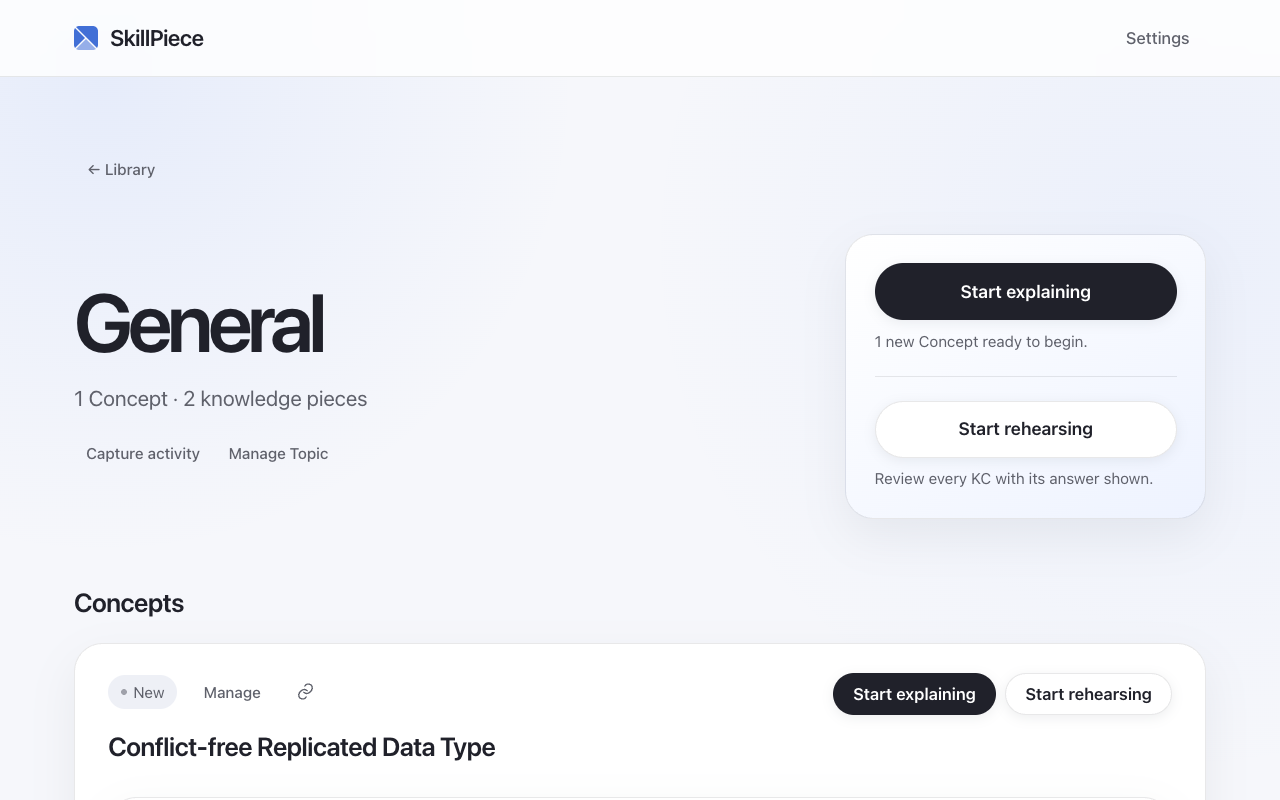
A current SkillPiece Topic with a focused Concept, knowledge pieces, and Start explaining and Start rehearsing actions
One page can hold several learning goals. SkillPiece keeps them separate.

Explanation practice

Recognition is comfortable. Recall is revealing.

Explaining from memory makes the gaps visible. SkillPiece checks what you wrote against the learning points you chose to keep.

  • ✓ Open recallStart from the question, not a list of choices.
  • ✓ Feedback you can useSee which learning points you covered and which ones need another look.
  • ✓ Practice without pressureReturn to the right idea without streaks, guilt, or dashboard theater.
Part 1 of 2

Consider the idea

Why does returning to an idea after a gap strengthen recall?

Explain it in your own words...

Privacy and control

Your reading stays yours.

Your library lives in your browser. Model work starts only when you ask, using the model setup you choose.

Read the full privacy policy →

✓
Your library stays in your browser

Saved pages, imported documents, concepts, practice history, and scheduling data are stored locally.

◇
You choose the model setup

Use Chrome's on-device model when it is available, or configure a provider you trust.

↗
Source-grounded from the start

The exact selected passage and page remain connected to the ideas they support.

A few honest answers

Know what you are choosing.

Purpose

What is SkillPiece for?

SkillPiece turns useful web reading and imported PDF, DOCX, TXT, and Markdown documents into explanation practice. The source stays close, but the goal is to understand the idea well enough to explain it without reopening it.

Pressure

Does practice become a daily obligation?

No. There are no streaks or guilt-based reminders. Practice is available when it helps, without turning a missed day into failure.

Privacy

What leaves my browser?

Focus never sends or saves page content. Capture sends only the selected passage, readable page units, or reviewed text extracted from a document after you press it, using the model setup you chose. Original document files never join model requests. With Chrome's built-in model, processing stays on your device.

SkillPiece

Your ideas, within reach.

Public beta Open to everyone on Chrome.